<?php
session_start();
if (!isset($_SESSION['portfolio_auth'])) {
    header('Location: /enter.php?redirect=' . urlencode($_SERVER['REQUEST_URI']));
    exit;
}
?>
<!DOCTYPE html>
<html lang="en">
	<head>
	    <!-- Required meta tags -->
	    <meta charset="utf-8">
	    <meta name="viewport" content="width=device-width, initial-scale=1, shrink-to-fit=no">

	    <!-- Custom CSS -->
	    <link href="styles/style-projects.css" rel="stylesheet" type="text/css">

	    <title>OnYou Kang</title>
	</head>

	<body>
		<div class="my-container project-page student-organization">
			<div class="content">
			    <div class="intro">
					<div class="intro-image">
						<img src="images/gallery-4.png" alt="Student Organization Homepage Case Study">
					</div>
					<div class="intro-text">
						<p class="title">Student Organization Homepage Case Study</p>
						<a target="_blank" href="https://onyoukang.github.io/2019-design-exercise/mockup.html"><p class="mockup-button">View Mockup</p></a>
					</div>
				</div>
				<div class="intro-meta">
					<p class="subtitle">The objective of this case study is to design an experience for new students to browse, search, and propose new student organizations.</p>
					<p class="roles">User Research | Wireframing | Prototyping</p>
				</div>

			    <div class="main">
			    	<p class="heading2">Objective</p>
			    	<p class="heading3-bottom">I see the Student Organization case study as a perfect opportunity to apply the user-centered design process. I started the process by defining the goal of the project, targets of the experience, and what I want the users to take away by visiting the website.</p>

			    	<p class="heading2">Research</p>
			    	<p class="heading3">The main target audiences of the experience are the new students, meaning the user will be either a freshman, a transferred sophomore or junior. Yet, I kept returning students in mind as minor audience. Accordingly I created five personas that represent students of various interests and experience levels to apply the contextual design process.</p>
			    	<p class="heading3">The process of creating personas helped me consider the different needs of the audience.</p>
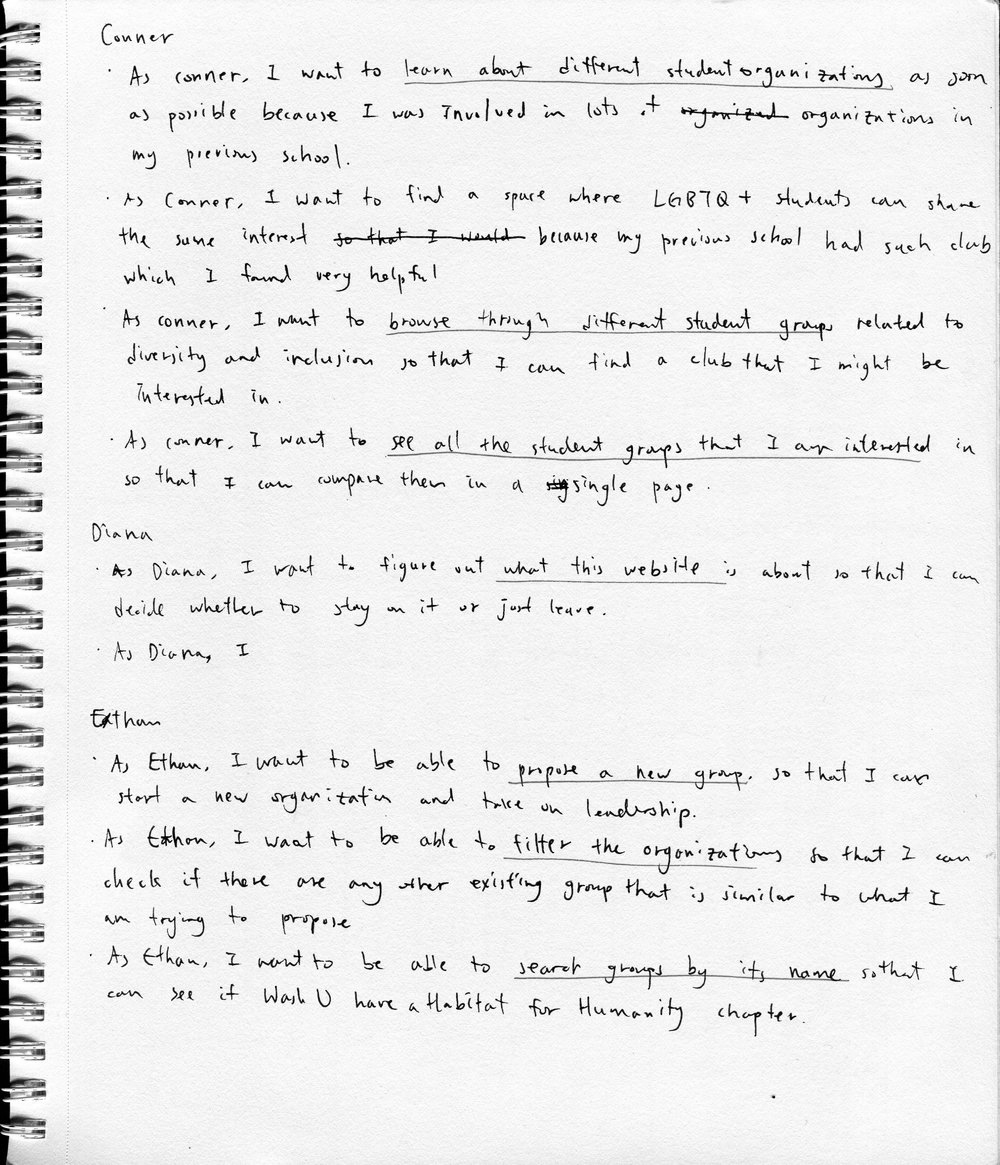
			    	<p class="heading3">Once the personas were created, I made User Stories to further think about what each persona would like to do on the website.</p>
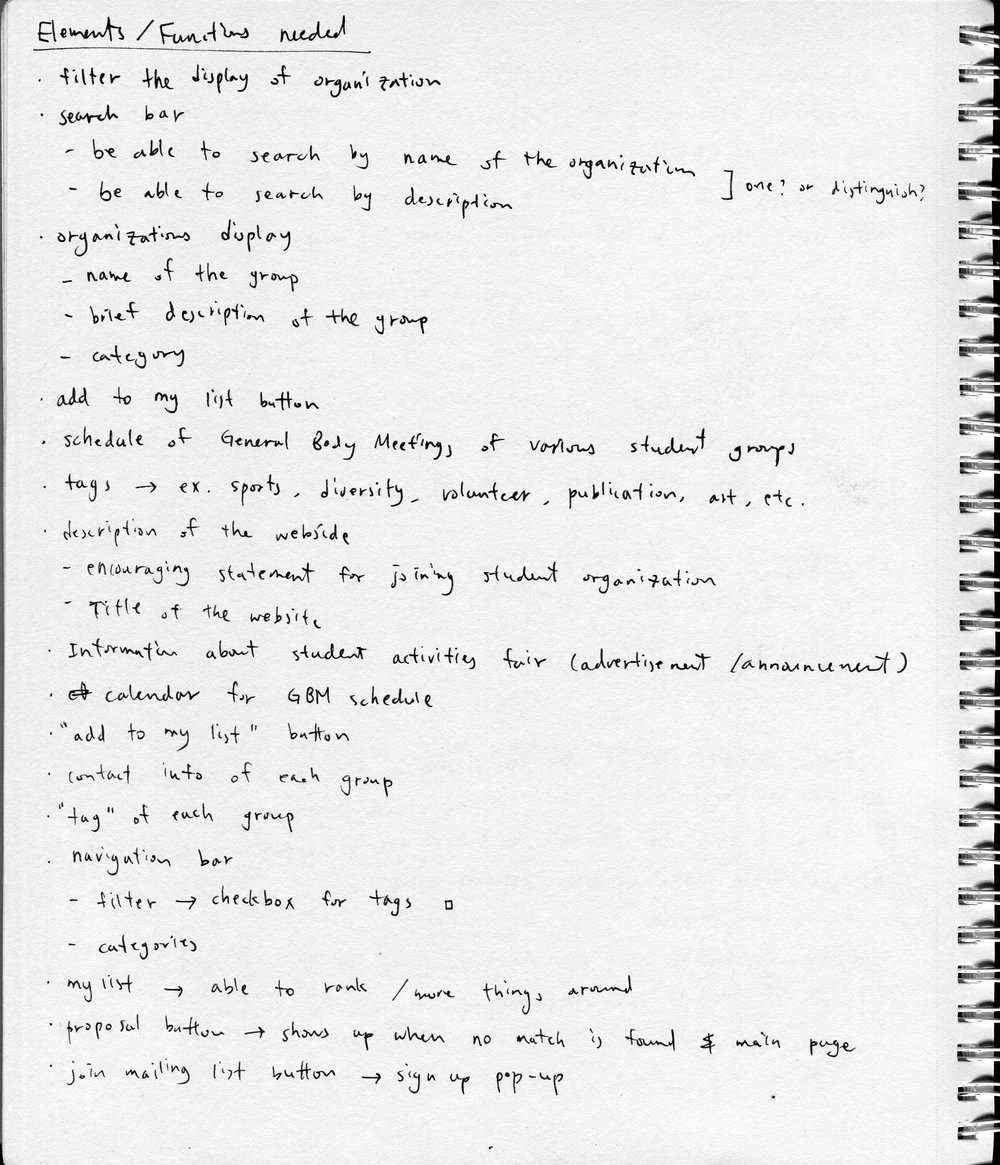
			    	<p class="heading3-bottom">Based on the needs of each persona shown on User Stories, I came up with the list of elements and functions needed on the website and put them under pertinent pages.</p>

			    	<div class="img-container">
				    	<img class="img-inline img-left" src="images/img003-bw.jpg" data-group="process" loading="lazy">
				    	<img class="img-inline" src="images/img004-bw.jpg" data-group="process" loading="lazy">
			    	</div>

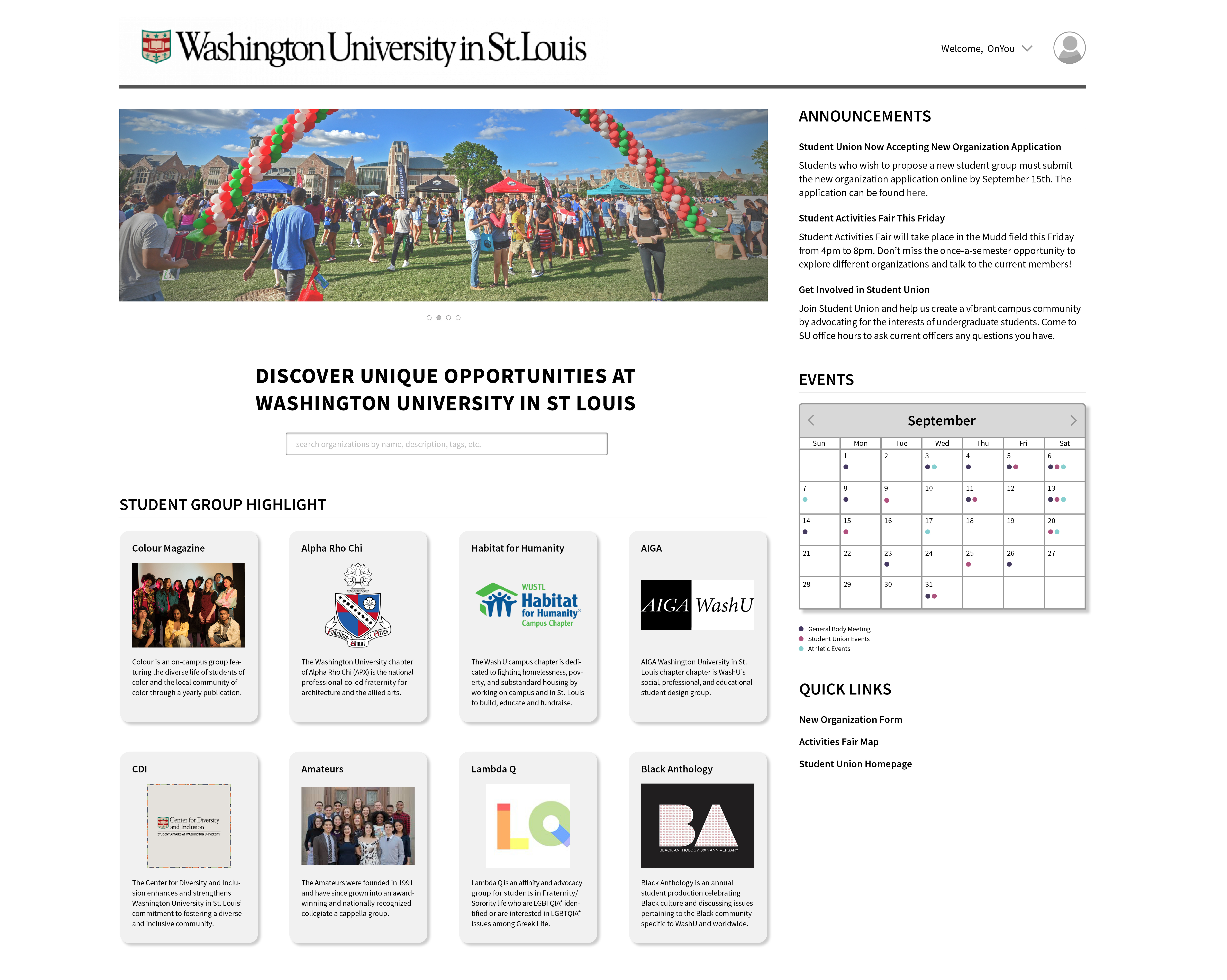
				    <p class="heading3-bottom">Once the brief website structure and page structure were established, I moved on to sketching thumbnails and figuring out a detailed layout for each page. Additionally, the wireframe flow was designed based on the content and context of each page.</p>

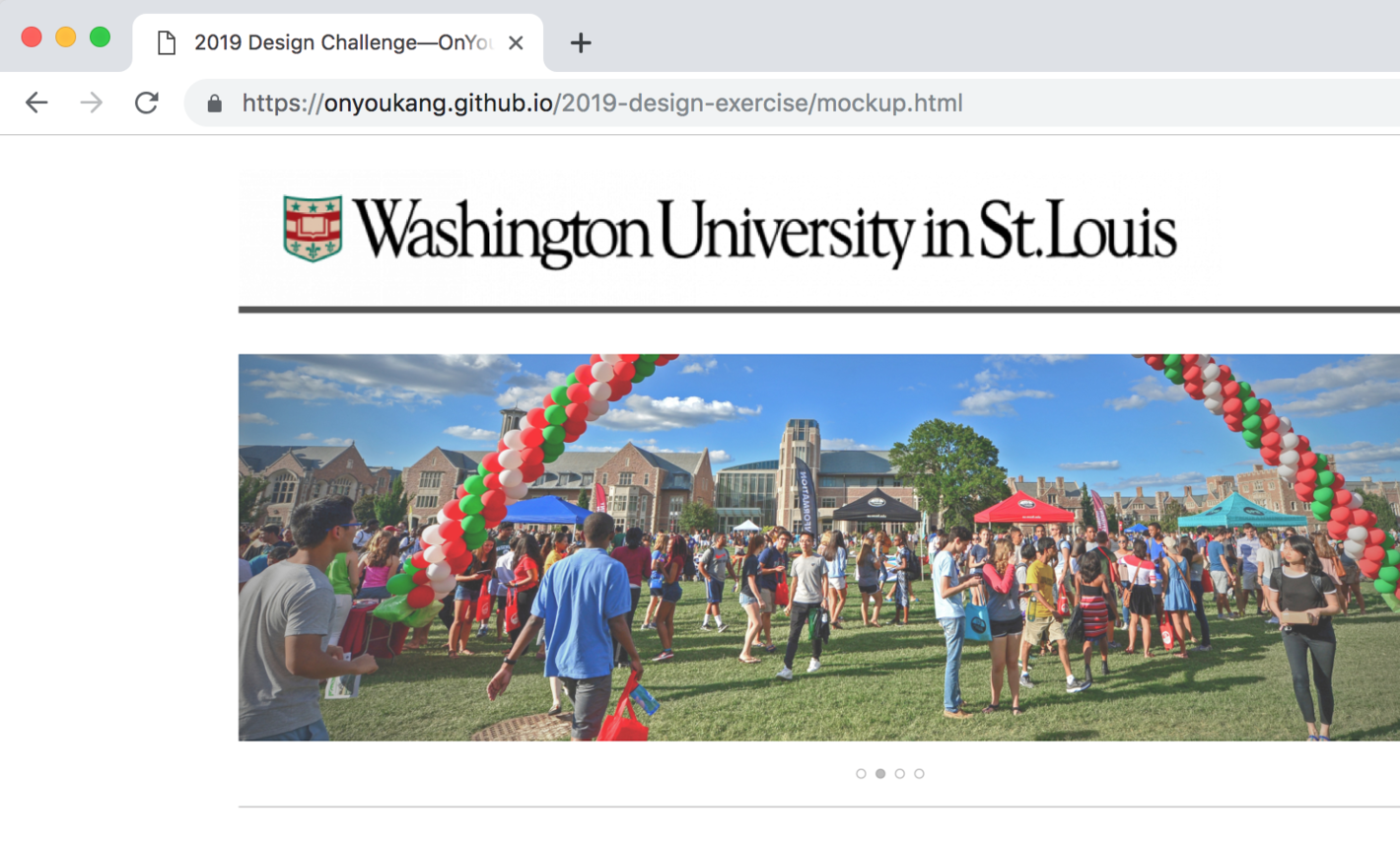
				    <p class="heading2">Final</p>
				    <a target="_blank" href="https://onyoukang.github.io/2019-design-exercise/mockup.html"><p class="mockup-button-2">View Mockup</p></a>
				    <img class="mockup" src="images/mockup.jpg" data-group="final" loading="lazy">
			    </div>

			</div>

			<div class="two-lines next-project">
				<p class="next">Next Project:</p>
				<p class="next-bold">For Those Who Are "Color Blind"</p>
				<a href="for-those-who-are-color-blind.php"><img class="next-img" src="images/next-for-those-who-are-color-blind.jpg"></a>

				<a href="classic.php"><img class="arrow-left" src="images/w-arrow-left.png"></a>
				<a href="classic.php"><p class="previous">Previous</p></a>
			    <a href="for-those-who-are-color-blind.php"><img class="arrow-right" src="images/w-arrow-right.png"></a>
			</div>

		</div>

	    <script src="scripts/nav.js"></script>
	    <script src="scripts/lightbox.js"></script>

	</body>
</html>